> For the complete documentation index, see [llms.txt](https://cn.docs.rootdata.com/llms.txt). Markdown versions of documentation pages are available by appending `.md` to page URLs; this page is available as [Markdown](https://cn.docs.rootdata.com/playbook/calendar.md).
# RootData 日历事件
## 日历入口
* 点击访问:[RootData 日历事件](https://cn.rootdata.com/calendar)
## **日历特色**
RootData 日历事件整合行业各项目重要事件,同时追踪影响市场走势的宏观经济动态,帮您一站式把握关键节点与市场影响因素。
* **事件聚合**:代币解锁、交易所动态、计划发币、激励活动、预售事件等
* **提醒设置**:重要事件个性化提醒
* **多端同步**:支持网页端和移动端访问
## 功能速查
### 1. 快速选择日期
RootData 日历支持您灵活查看未来不同周期的事件分布,助您制定差异化的关注策略:
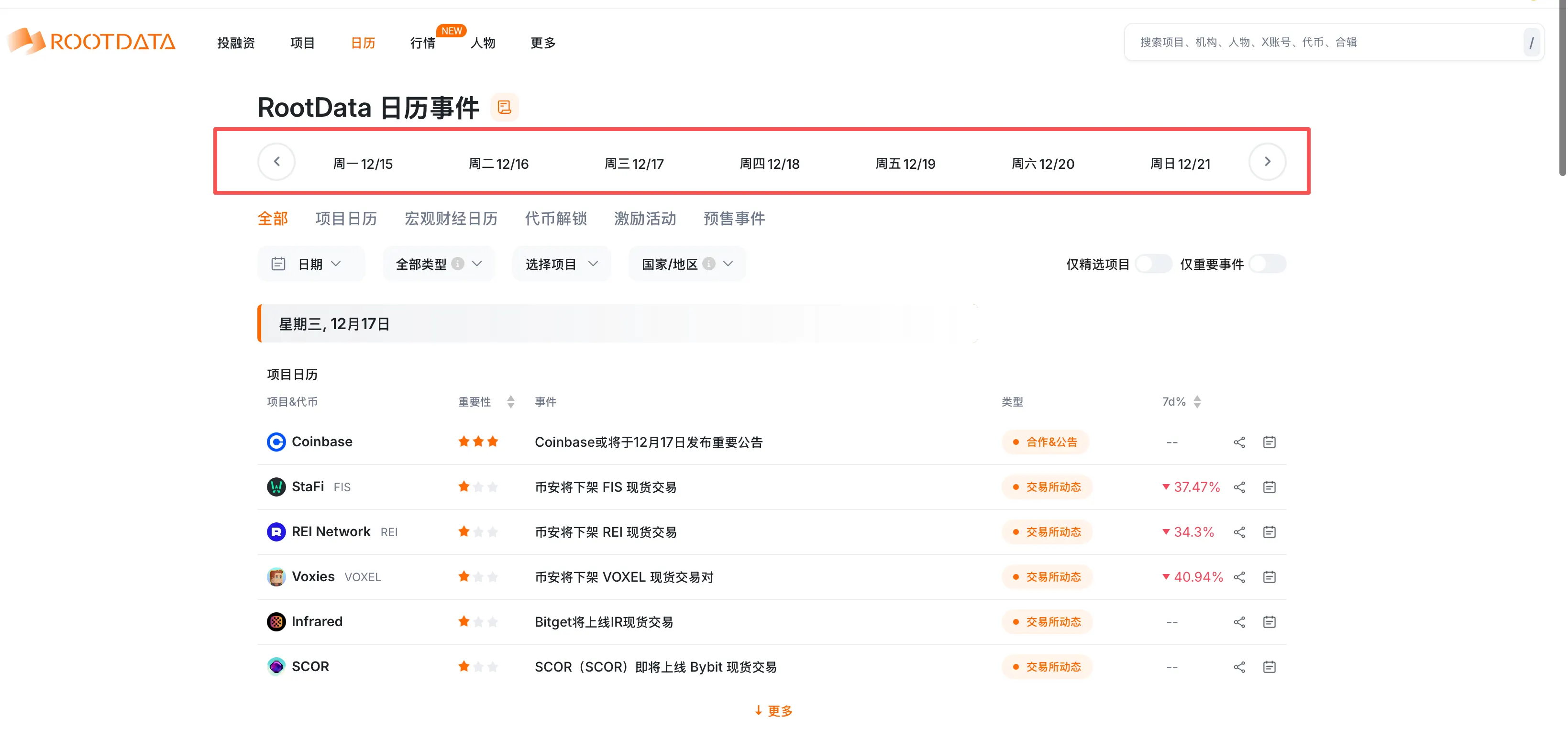
在日历上方有一行「日期栏」,代表着当前显示的时间范围。如下方图示,当前显示的是 12/15 至 12/21 的事件日历。您可通过点击两侧左右箭头快速选择想要浏览的时间段;也可选择点击单个日期,查看某个指定日期的事件内容。
 \
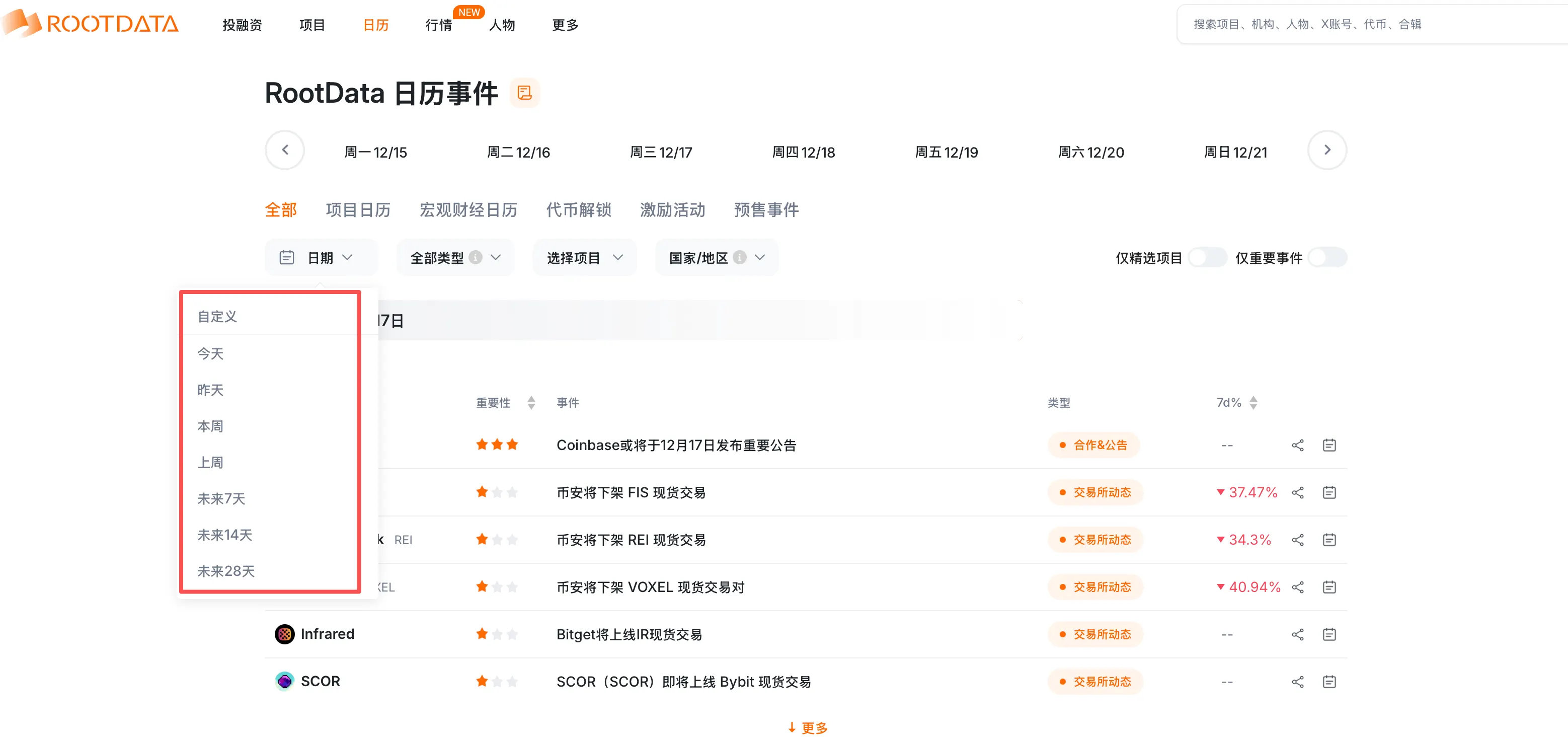
此外,通过筛选器「日期 ▼」下拉菜单,可灵活切换更多时间跨度,实现从短期战术执行到长期战略规划的无缝切换,帮助用户快速聚焦近期事件、提前布局中期节点,或纵览全局把握行业趋势,始终保持信息领先。
\
此外,通过筛选器「日期 ▼」下拉菜单,可灵活切换更多时间跨度,实现从短期战术执行到长期战略规划的无缝切换,帮助用户快速聚焦近期事件、提前布局中期节点,或纵览全局把握行业趋势,始终保持信息领先。
 ### 2. 筛选事件类型
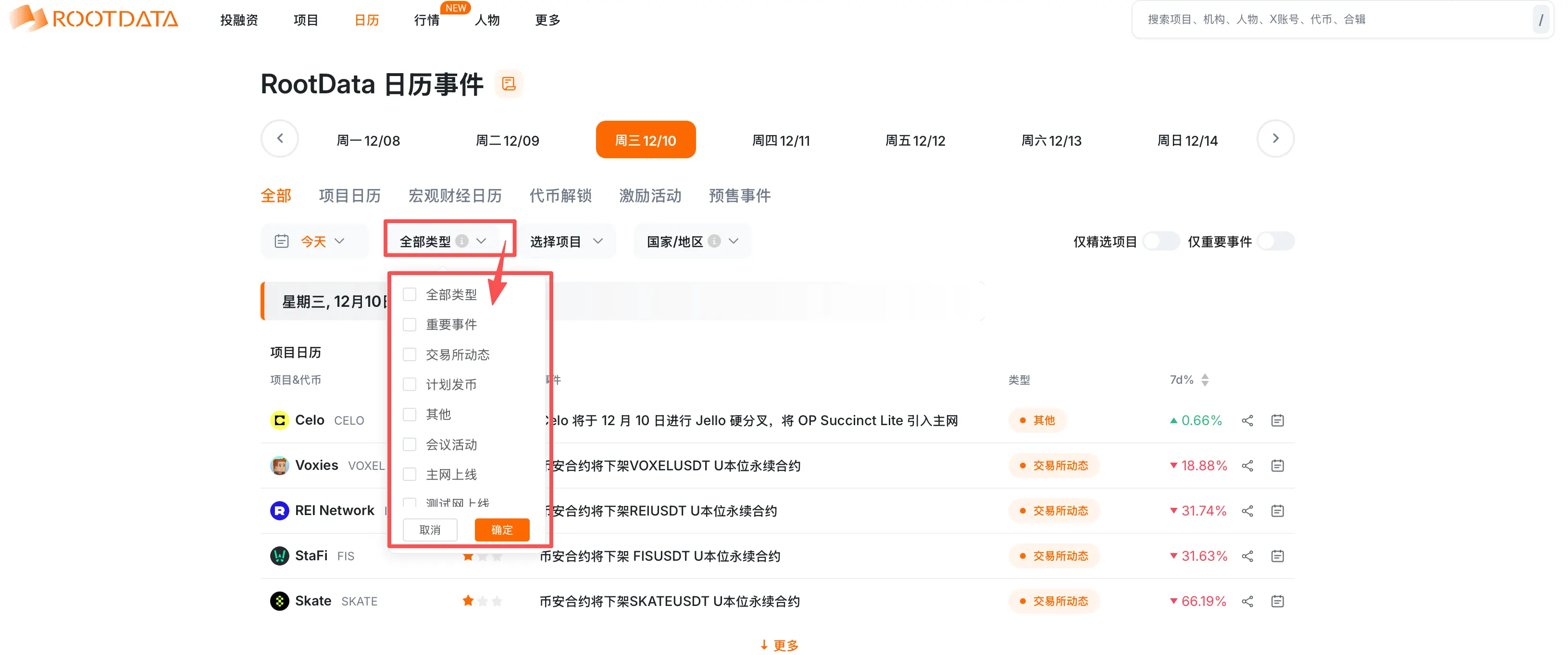
点击 「全部类型▼」,可在下拉选项中选取感兴趣的类型对事件日历进行筛选
### 2. 筛选事件类型
点击 「全部类型▼」,可在下拉选项中选取感兴趣的类型对事件日历进行筛选
 #### 支持事件分类
* **主网上线 / 测试网上线**:项目的核心网络启动与测试阶段。
* **计划发币**:已公布日程的未来代币发行事件。
* **代币动态**:除解锁外的其他代币相关事件(如回购、销毁)。
* **重要事件**:涵盖影响市场或项目的关键节点。
* **交易所动态**:中心化/去中心化交易所的上币、规则更新等。
* **最新发币**:近期刚刚完成代币发行的项目。
* **资金招募 / 营收情况**:项目融资、投资轮次及营收报告。
* **会议活动**:行业峰会、线上AMA、黑客松等。
* **安全事故**:协议被攻击、漏洞利用等安全事件警报。
* **最近空投项目**:提供潜在空投机会的项目事件。
* **最近停止运营**:项目关停、终止服务的警示信息。
* **其他**:未归入上述类别的其他行业动态。
### 3. **分享日历**
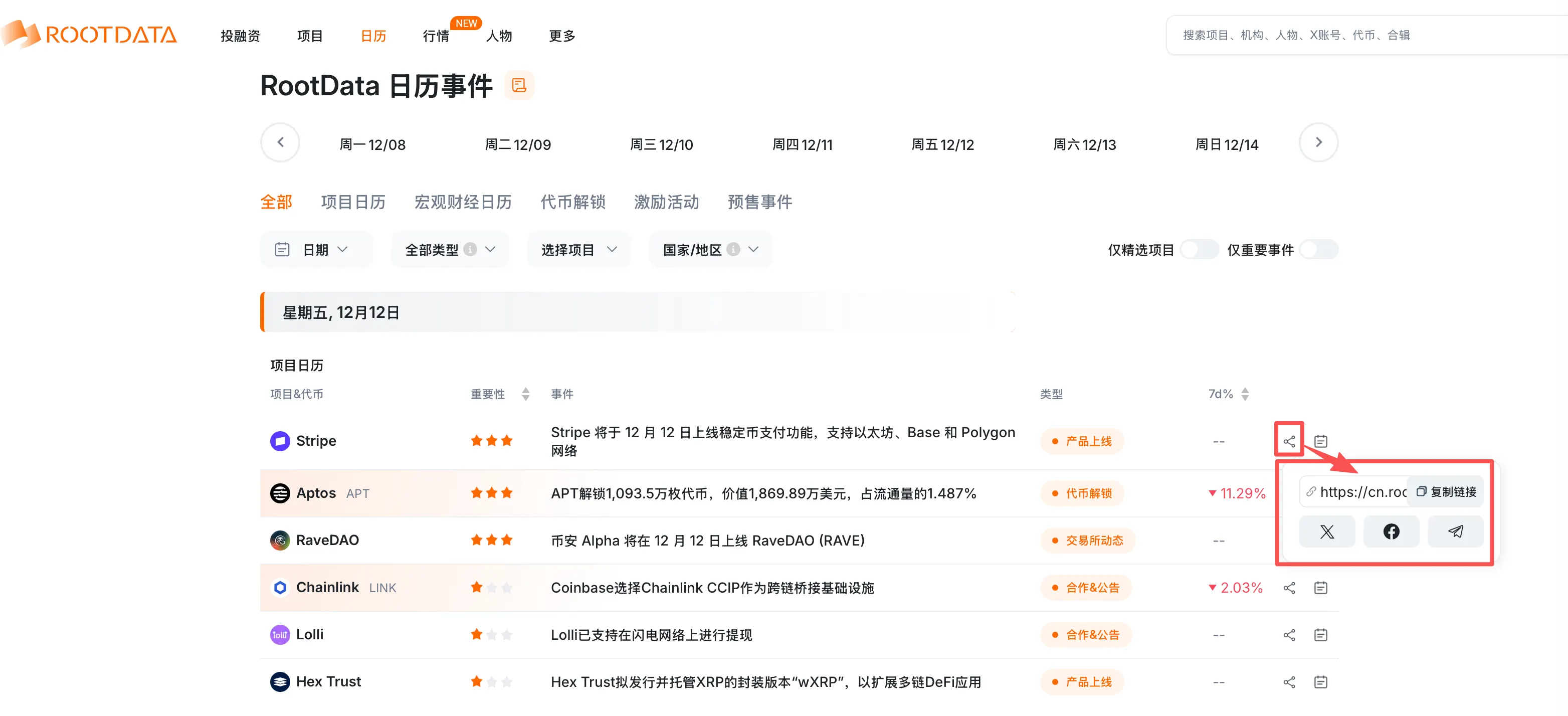
我们为每个单独的日历事件都设置了分享功能,用户可以通过点击此按钮来获得分享链接,或直接转发到其他平台(𝕏, FaceBook, Telegram)
#### 支持事件分类
* **主网上线 / 测试网上线**:项目的核心网络启动与测试阶段。
* **计划发币**:已公布日程的未来代币发行事件。
* **代币动态**:除解锁外的其他代币相关事件(如回购、销毁)。
* **重要事件**:涵盖影响市场或项目的关键节点。
* **交易所动态**:中心化/去中心化交易所的上币、规则更新等。
* **最新发币**:近期刚刚完成代币发行的项目。
* **资金招募 / 营收情况**:项目融资、投资轮次及营收报告。
* **会议活动**:行业峰会、线上AMA、黑客松等。
* **安全事故**:协议被攻击、漏洞利用等安全事件警报。
* **最近空投项目**:提供潜在空投机会的项目事件。
* **最近停止运营**:项目关停、终止服务的警示信息。
* **其他**:未归入上述类别的其他行业动态。
### 3. **分享日历**
我们为每个单独的日历事件都设置了分享功能,用户可以通过点击此按钮来获得分享链接,或直接转发到其他平台(𝕏, FaceBook, Telegram)
 #### **添加到日历**
点击事件右侧的「日历图标」,可将该事件日历添加至本地日历
#### **添加到日历**
点击事件右侧的「日历图标」,可将该事件日历添加至本地日历
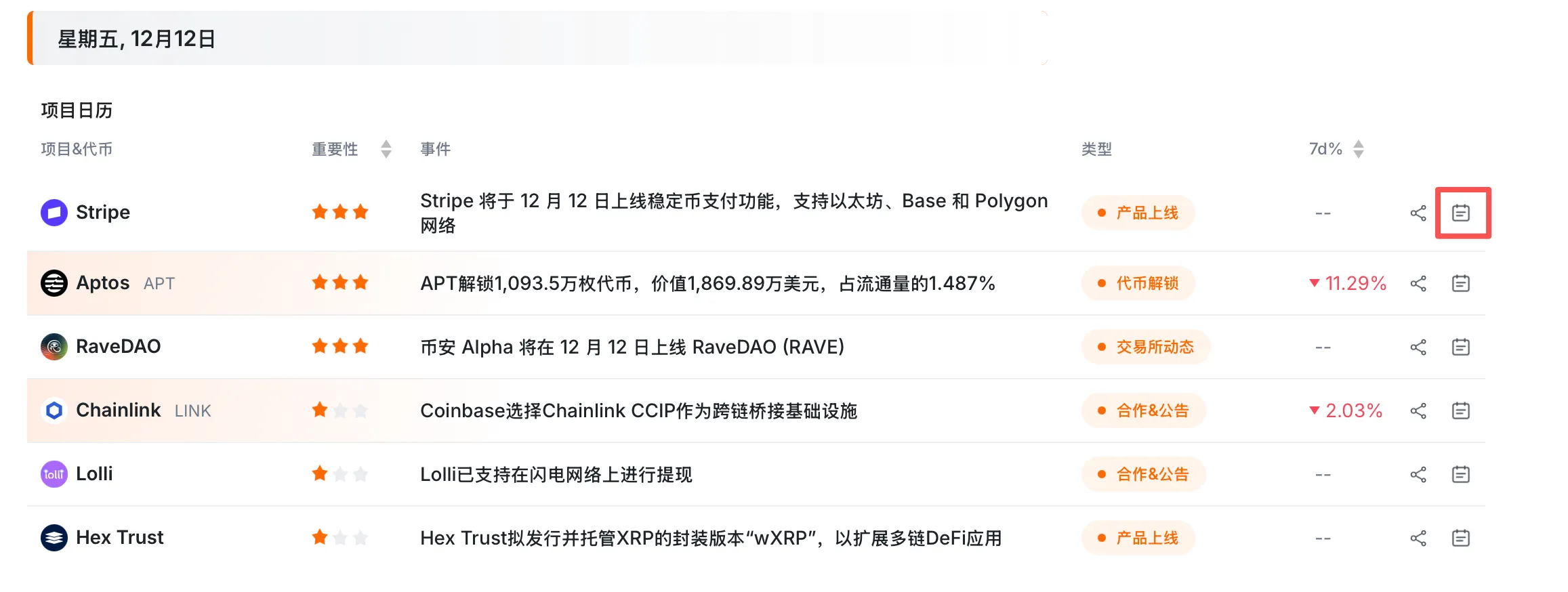 **For Mac OS**
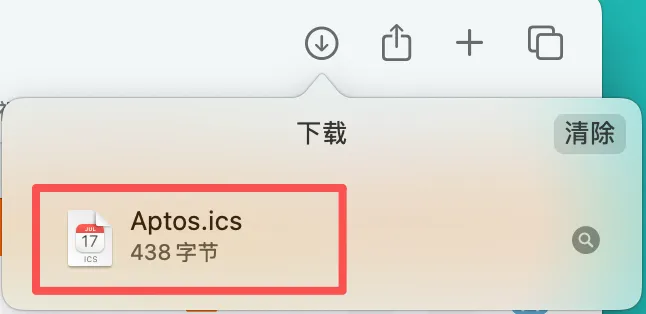
点击「日历图标」后,会弹出下载窗口,点击允许下载
下载完成后,找到下载好的文件
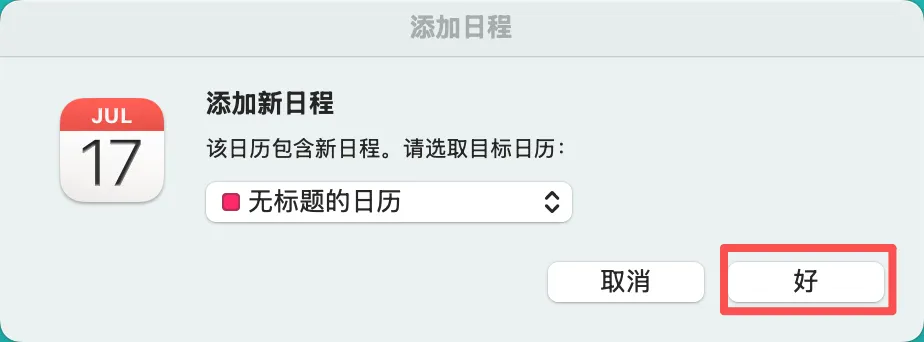
打开文件,点击「好」,则可将此事件添加到本地日历中
**For Mac OS**
点击「日历图标」后,会弹出下载窗口,点击允许下载
下载完成后,找到下载好的文件
打开文件,点击「好」,则可将此事件添加到本地日历中
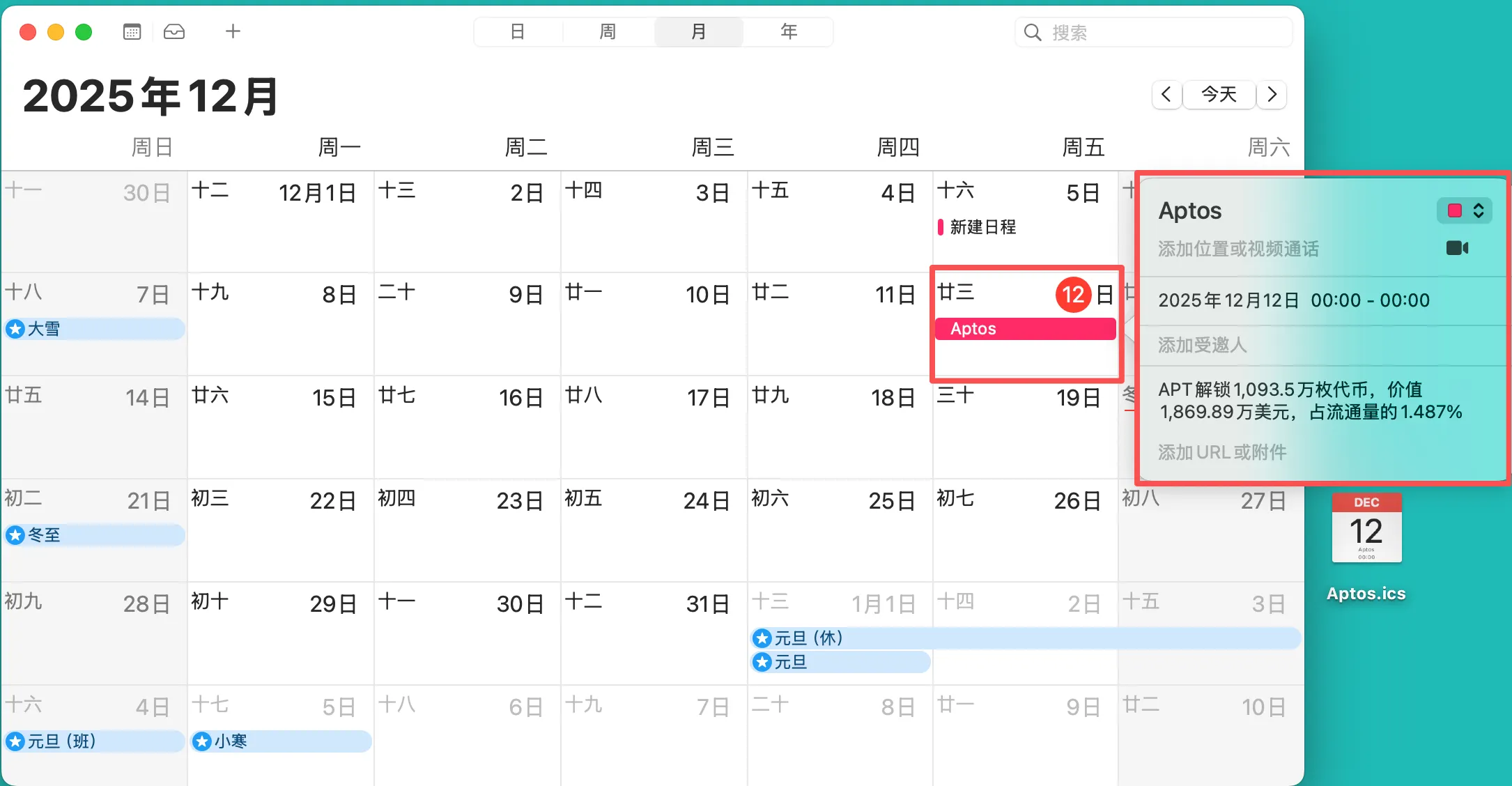
 添加完成后,在本地日历中即可查看到此事件
 **For Windows**
点击「日历按钮」,开始下载文件
**For Windows**
点击「日历按钮」,开始下载文件
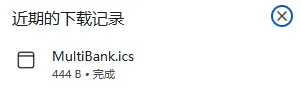 打开该文件,根据提示指引,可选择将此事件添加到本地日历/其他日历中。