> For the complete documentation index, see [llms.txt](https://cn.docs.rootdata.com/llms.txt). Markdown versions of documentation pages are available by appending `.md` to page URLs; this page is available as [Markdown](https://cn.docs.rootdata.com/playbook/archives.md).

# RootData 项目合辑

## **什么是项目合辑？**

**项目合辑**是RootData平台上一个**主题化、可自定义**的项目集合功能。它允许您将多个相关项目聚合到一个清单中，实现**一站式追踪、对比和分析**，是替代浏览器书签或零散表格的理想工具。

## 项目合辑特色

1. **个性化聚合**：打破分类目录限制，按您的逻辑（如赛道、投资组合、研究主题）自由聚合项目。
2. **动态追踪**：合辑内项目的重要更新（如融资、代币解锁、价格异动）可集中呈现，助您快速掌握动态。
3. **高效分析**：在合辑内直观对比不同项目的关键数据，辅助决策。
4. **知识共享**：通过公开和分享合辑，与他人交流见解，或从他人的优质合辑中发现机会。

## 如何查看项目合辑？

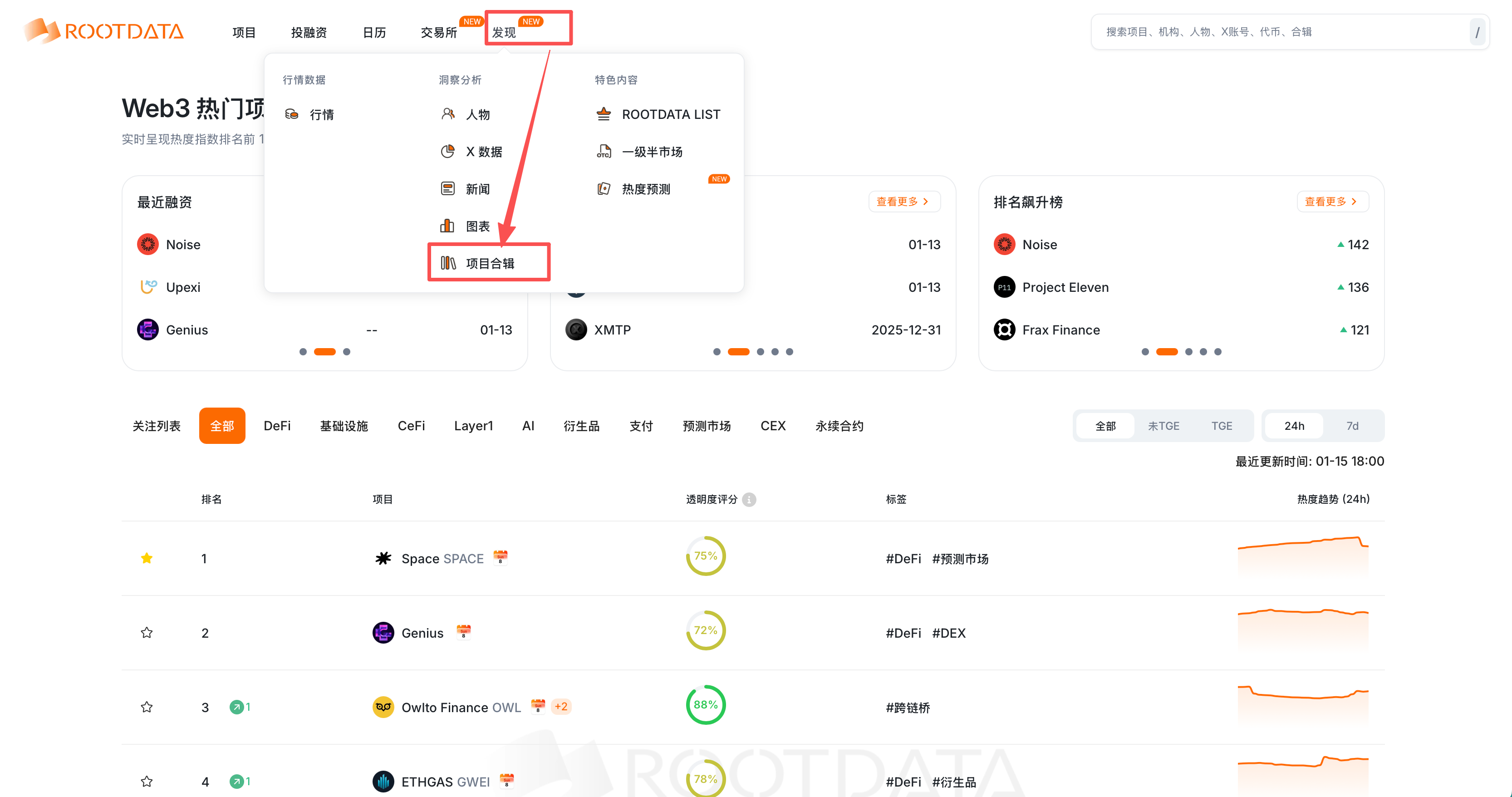
您可以在首页-发现中找到「[项目合辑](https://cn.rootdata.com/Archives)」

<figure><img src="/files/WH3IUGxoOtsIDbiKl5uu" alt=""><figcaption></figcaption></figure>

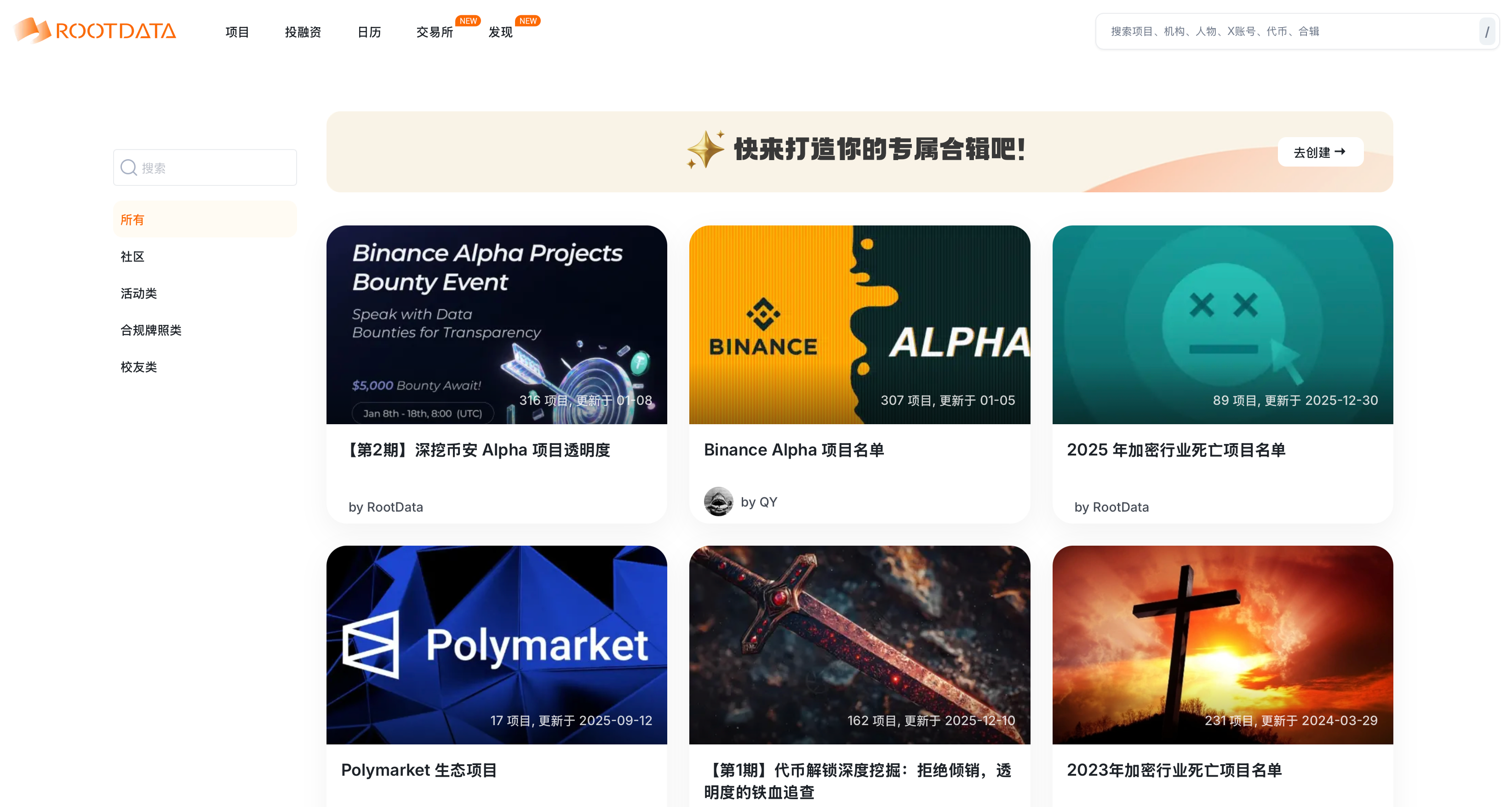
项目合辑页面：

<figure><img src="/files/KUmwdgR9lkni6SWQcGX5" alt=""><figcaption></figcaption></figure>

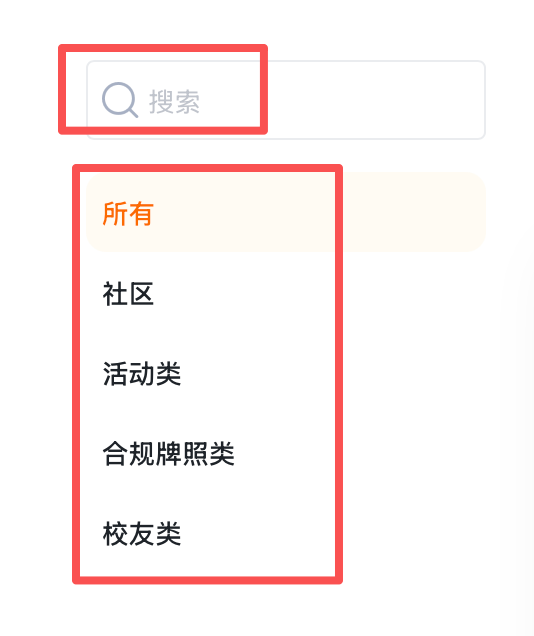
在左侧，您可以快速选择不同类别的合辑，或直接搜索

<figure><img src="/files/6zogw5jLnyfYkPMpy0RD" alt="" width="134"><figcaption></figcaption></figure>

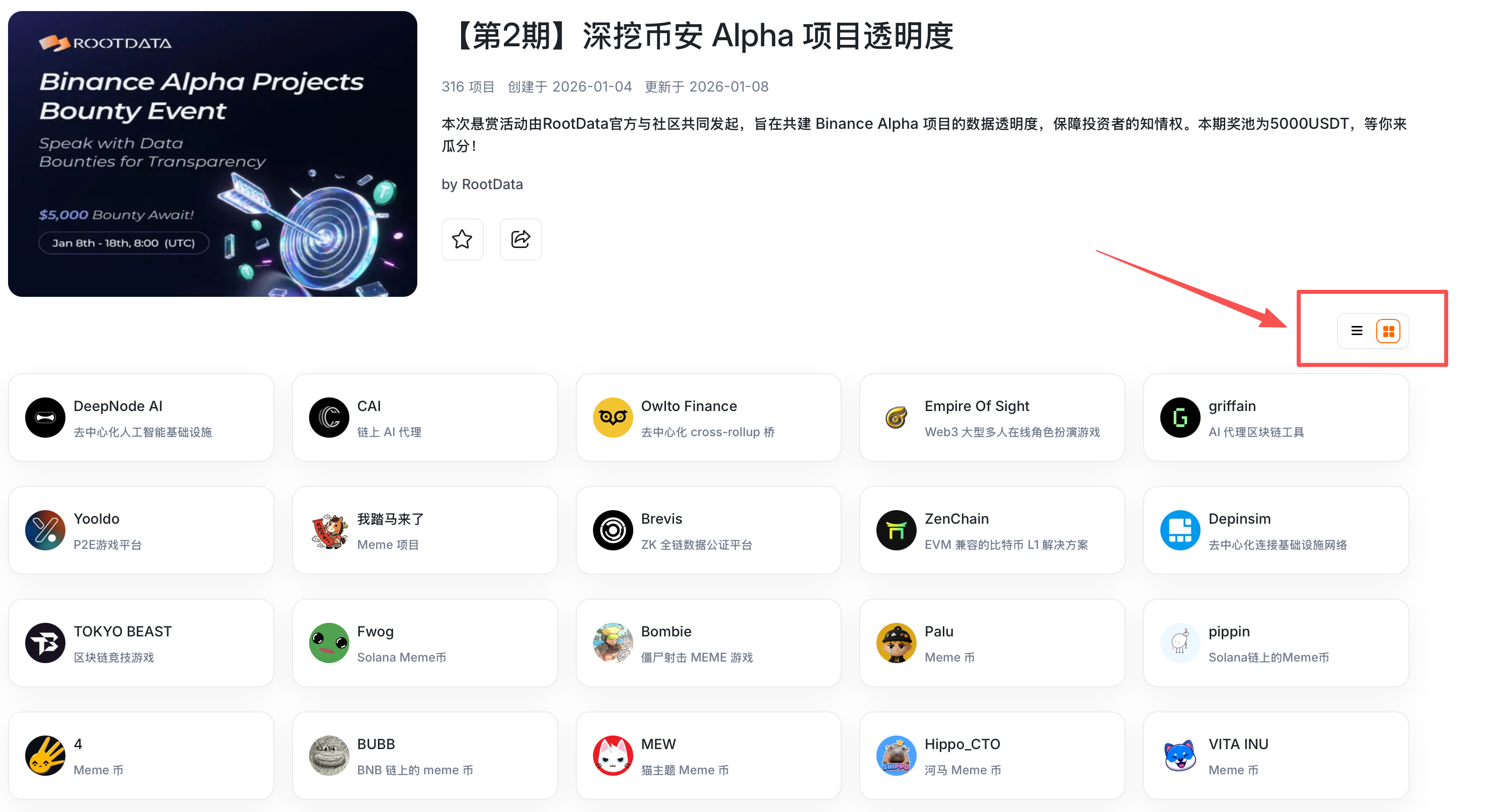
在合辑详情页，可切换不同列表视图

<figure><img src="/files/vrhWDojZ8Fq4gbkjcREo" alt=""><figcaption></figcaption></figure>

{% columns %}
{% column %}
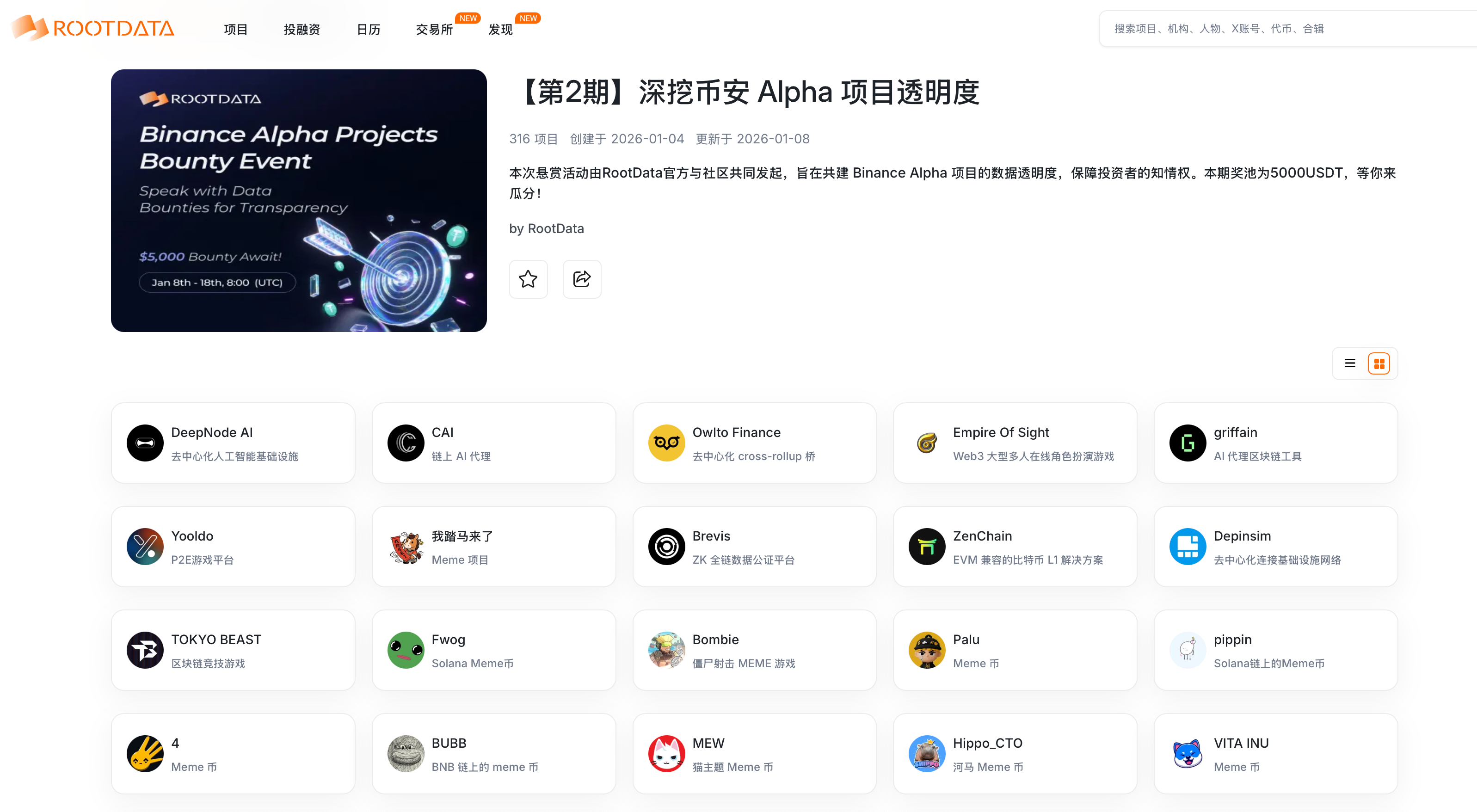
<figure><img src="/files/WVj4SiWdUhIgzp2BTNnJ" alt=""><figcaption><p>视图1</p></figcaption></figure>
{% endcolumn %}

{% column %}

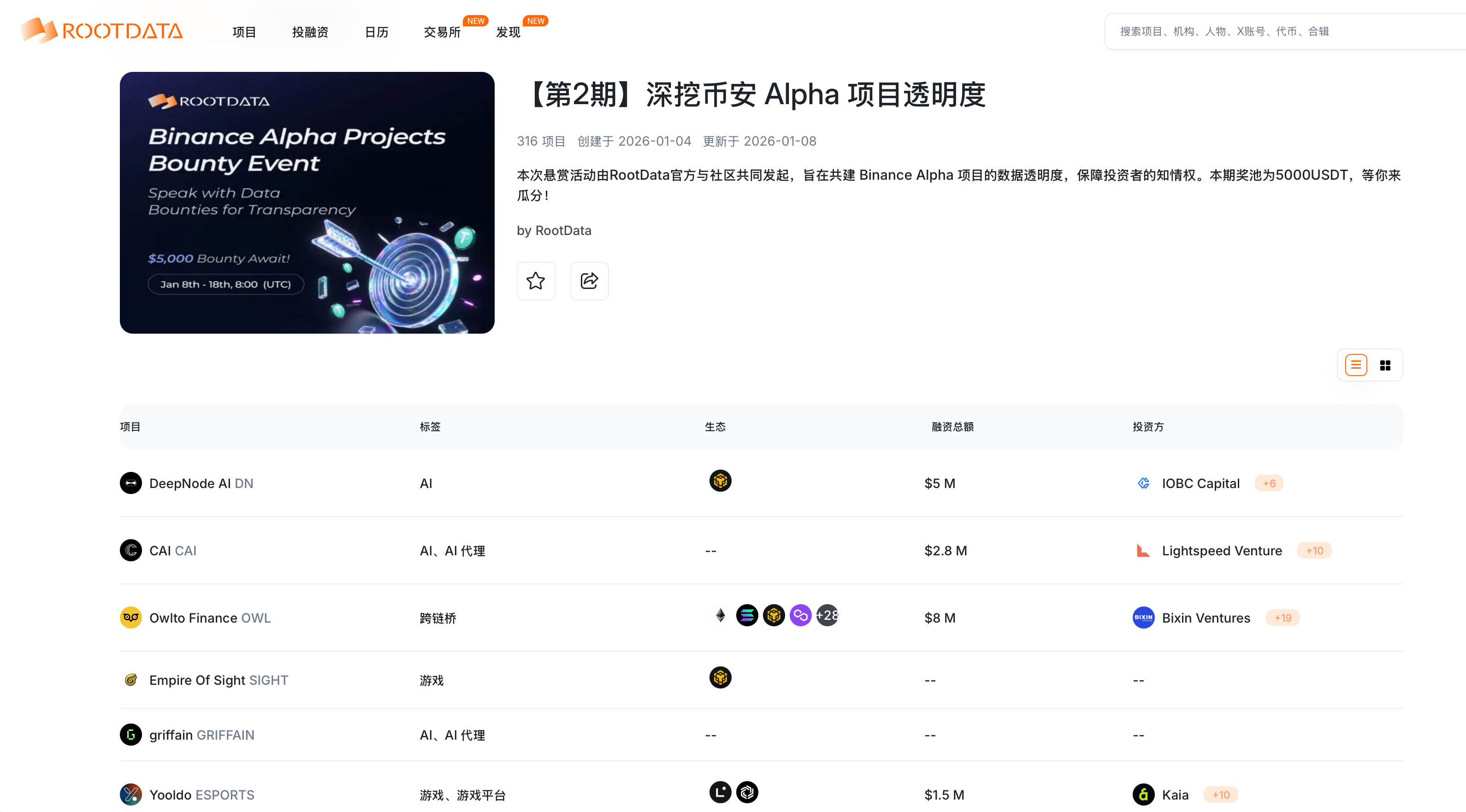
<figure><img src="/files/wf7kvQwhApqZAxFPsV5N" alt=""><figcaption><p>视图2</p></figcaption></figure>
{% endcolumn %}
{% endcolumns %}

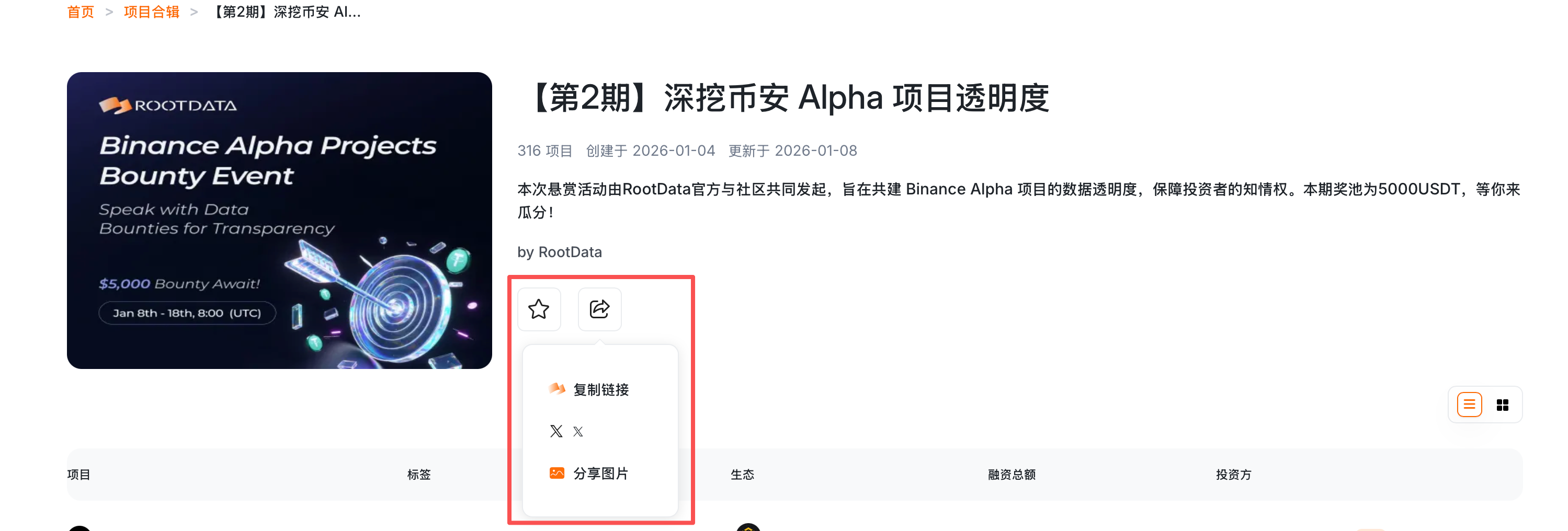
您可以使用收藏或分享功能

<figure><img src="/files/1pRkuh1AQlCYjRce1svG" alt=""><figcaption></figcaption></figure>

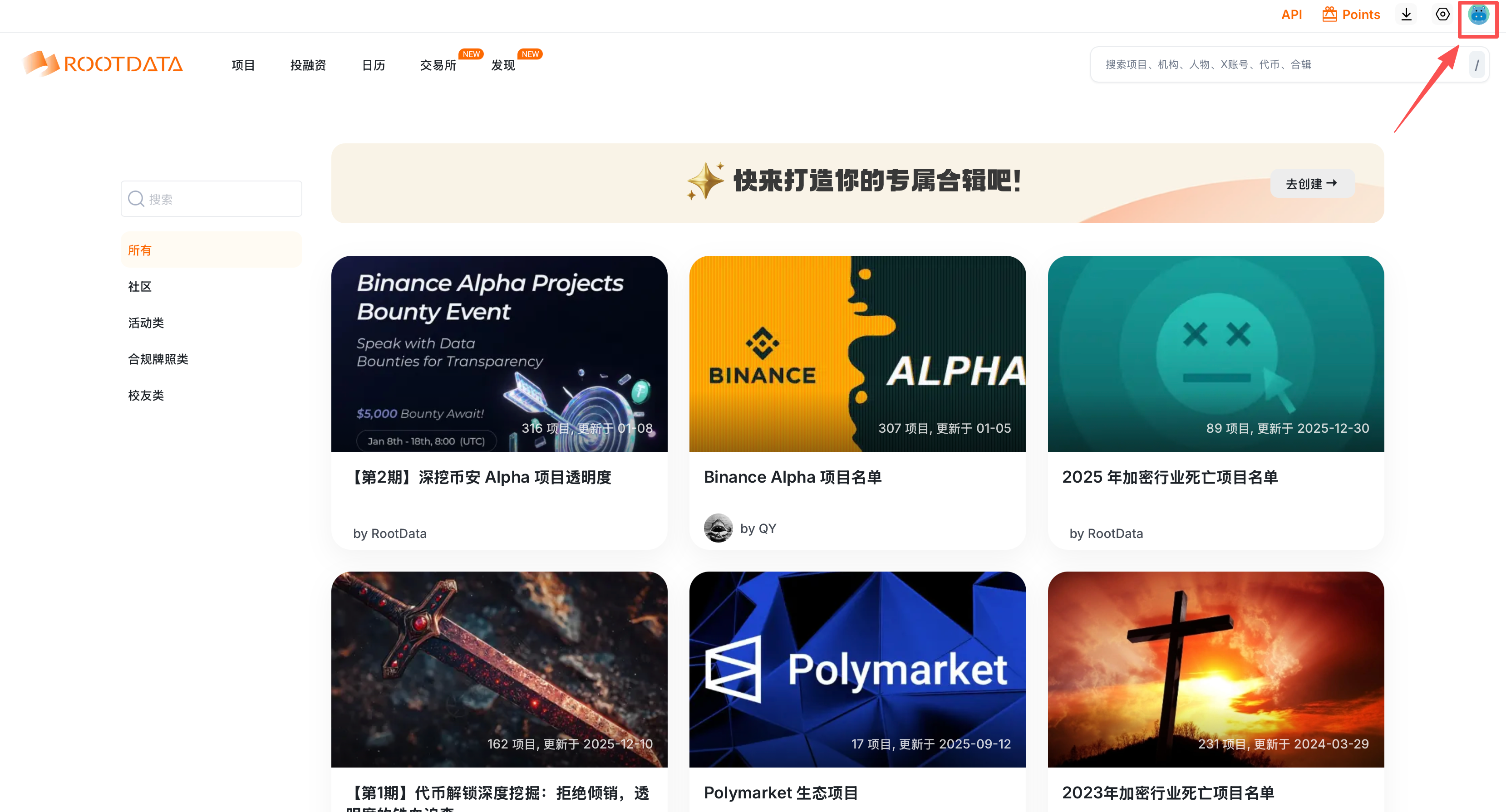
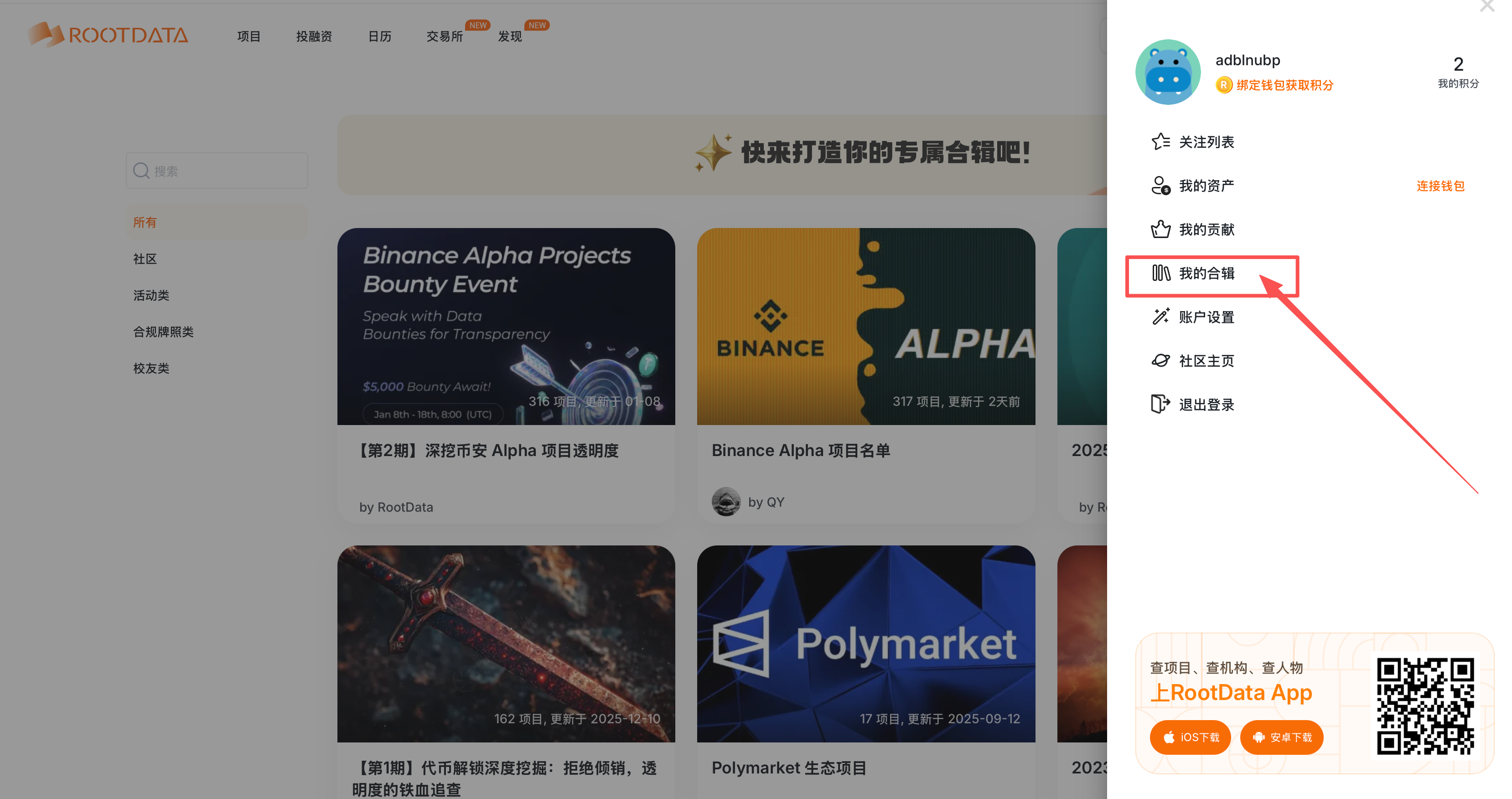
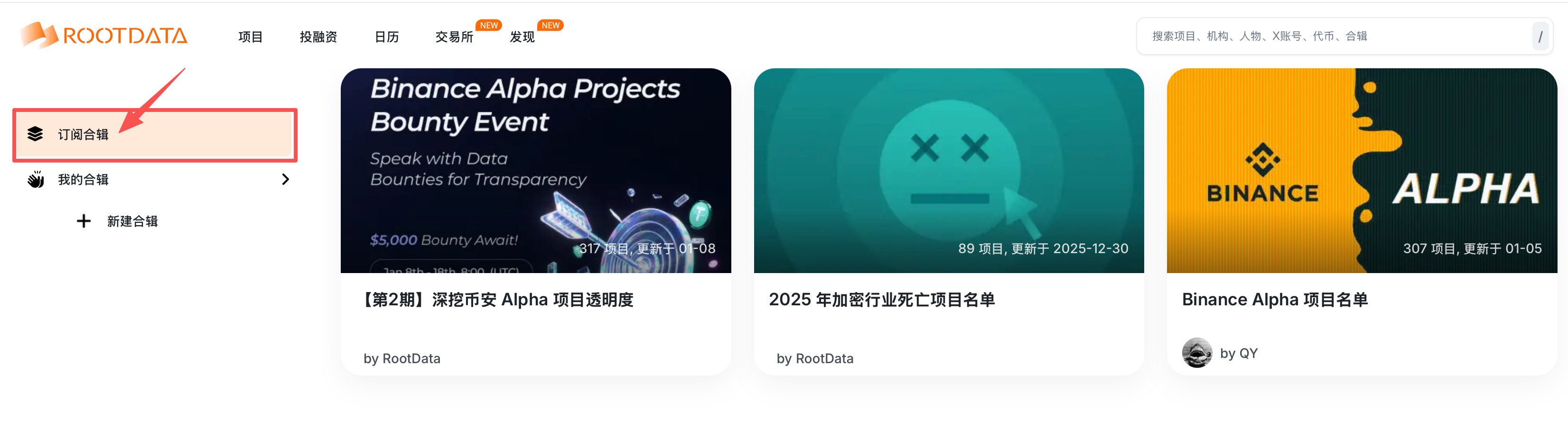
您可以通过右上角打开「我」-「我的合辑」-「订阅合辑」，查看您订阅的项目合辑

{% columns %}
{% column %}
<div align="left"><figure><img src="/files/dW8wWdu9vJ11L5uAwtS6" alt=""><figcaption></figcaption></figure></div>
{% endcolumn %}

{% column valign="middle" %}

<figure><img src="/files/KoejVL9UC9sJ1aCfZuTk" alt=""><figcaption></figcaption></figure>
{% endcolumn %}
{% endcolumns %}

<figure><img src="/files/avAhA9LUk35fAyCTbLso" alt=""><figcaption></figcaption></figure>

## 如何创建项目合辑？

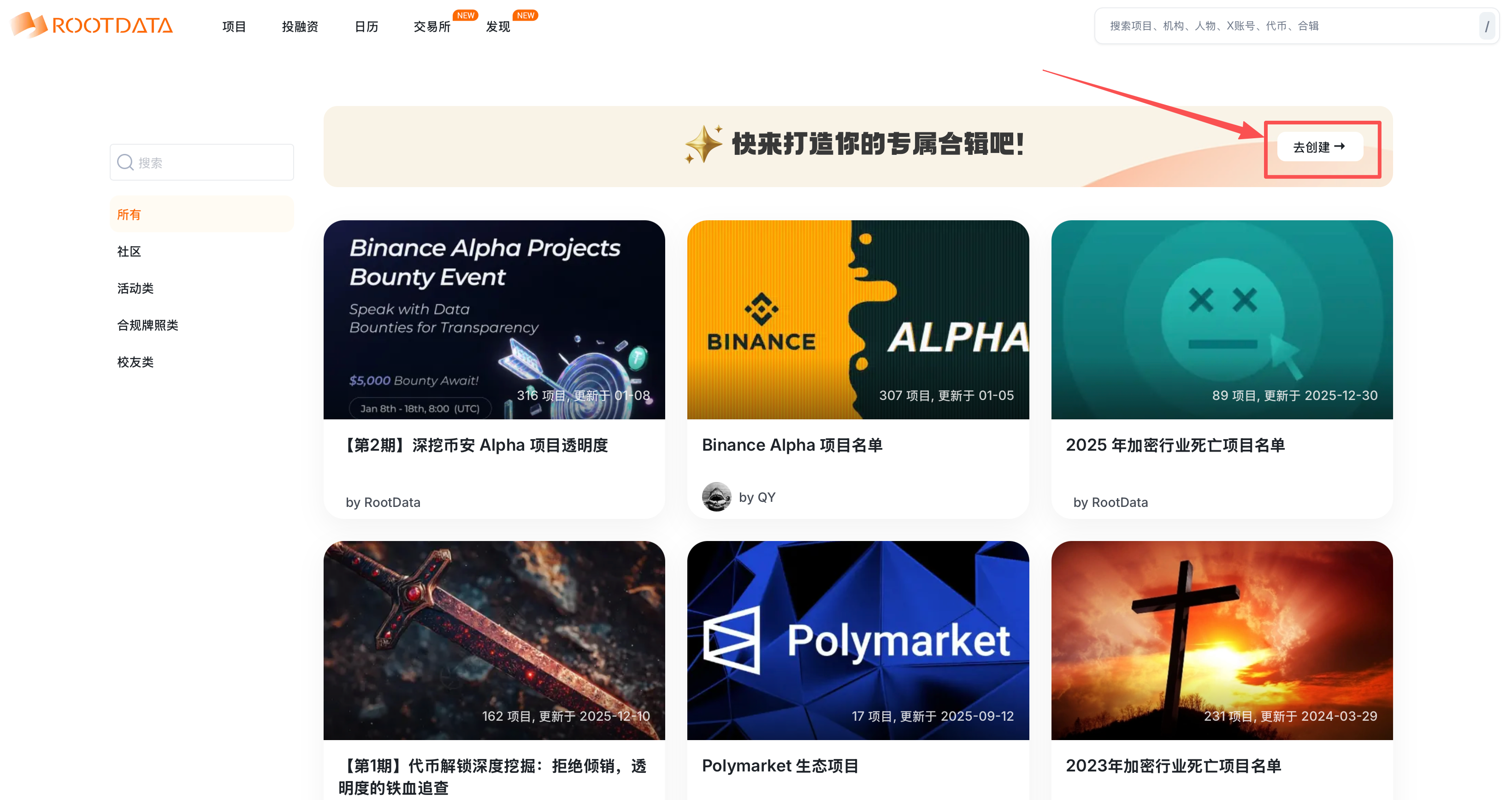
在「项目合辑」页面，点击「去创建」，

<figure><img src="/files/2wNxDGaSx9BDxayuPov7" alt=""><figcaption></figcaption></figure>

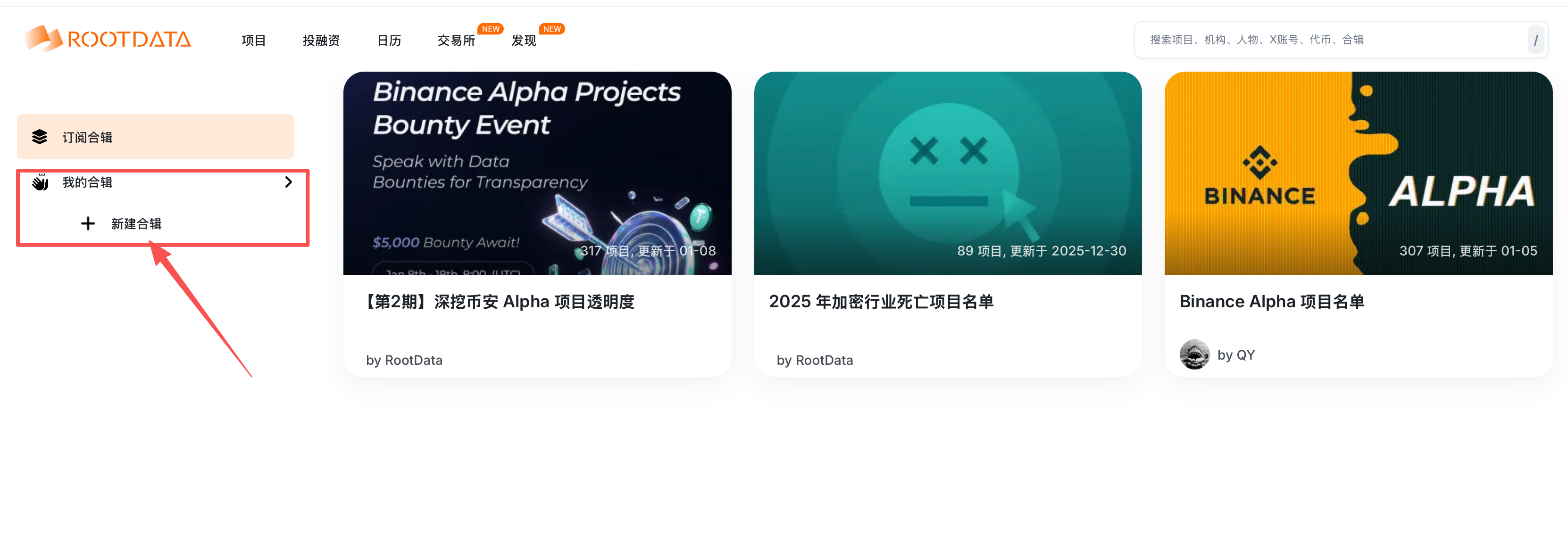
或在「我的合辑」点「新建合辑」

<figure><img src="/files/ysi9JsY38KIU00H9oxPQ" alt=""><figcaption></figcaption></figure>

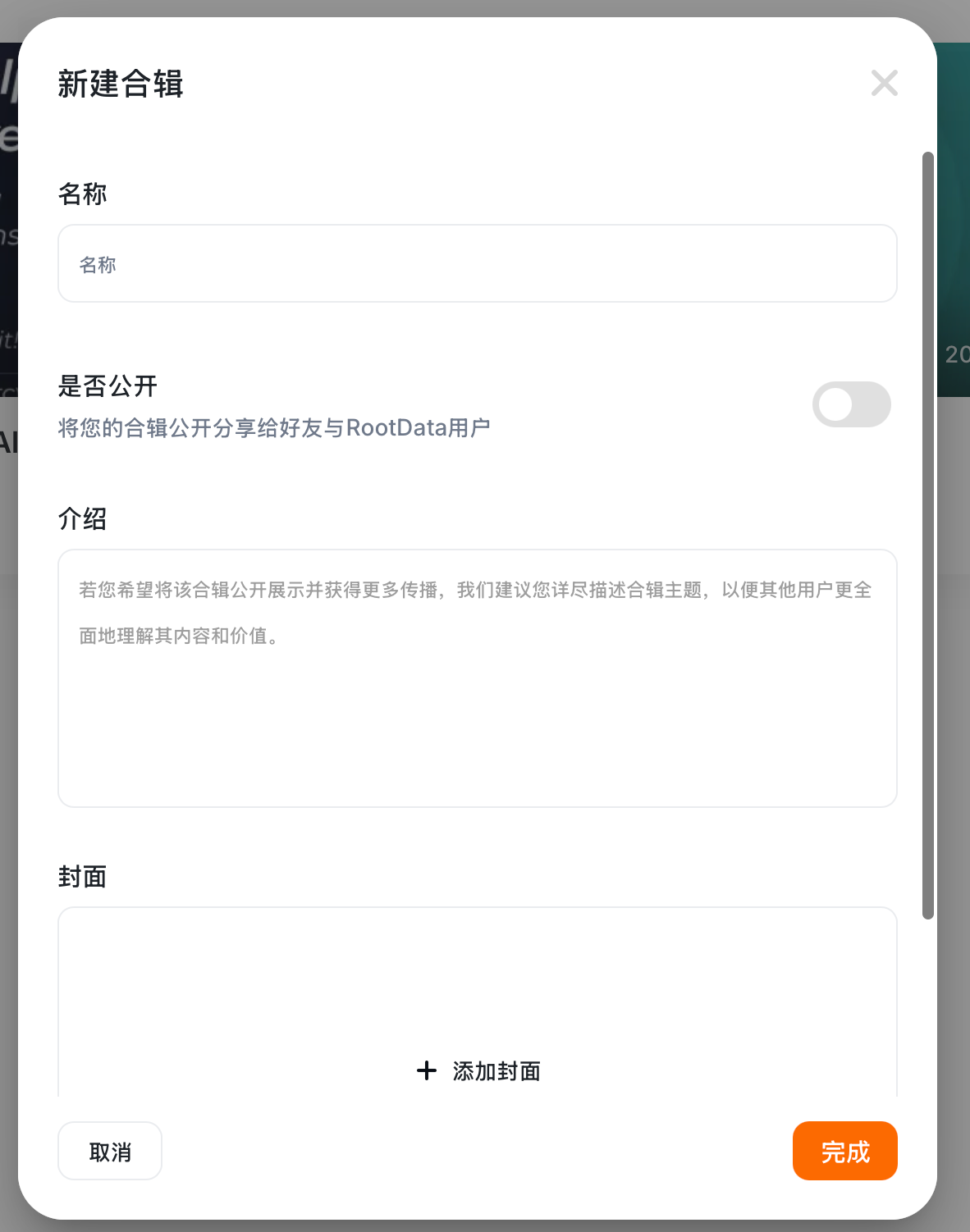
填写合辑名称、介绍，添加合辑封面，您可以选择该合辑是否公开。

<figure><img src="/files/5a3N9U2n3WYYimvtMvjg" alt="" width="188"><figcaption></figcaption></figure>

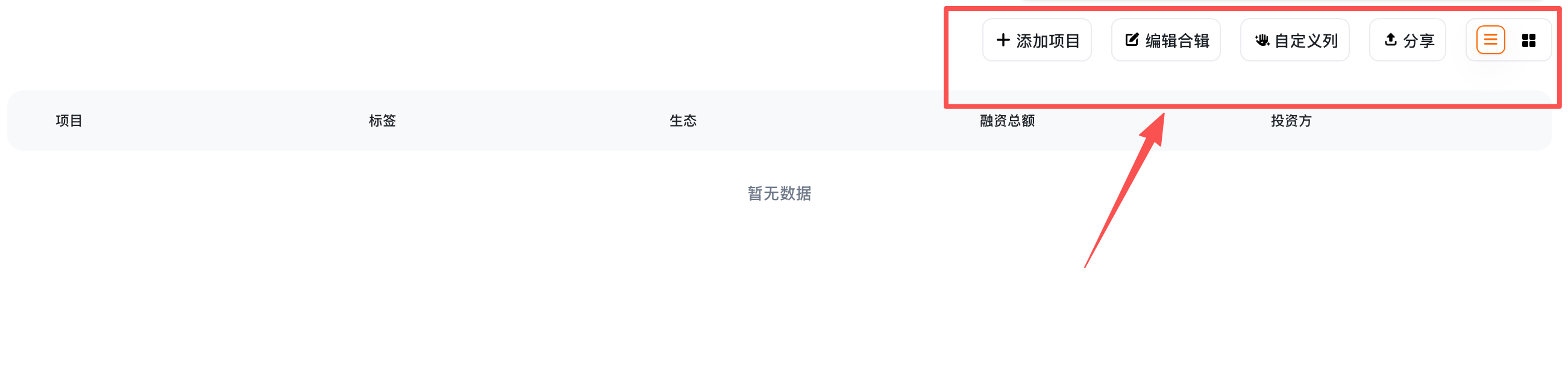
在右上角工具栏处，您可以点击「添加项目」，通过输入项目名称来搜索您想要添加的项目；

通过点击「编辑合辑」可再次进入名称、简介等编辑页面；

如您的合辑为公开合辑，您还可以使用分享功能；

<figure><img src="/files/2mviYxeLa8Jm82RMvylK" alt=""><figcaption></figcaption></figure>

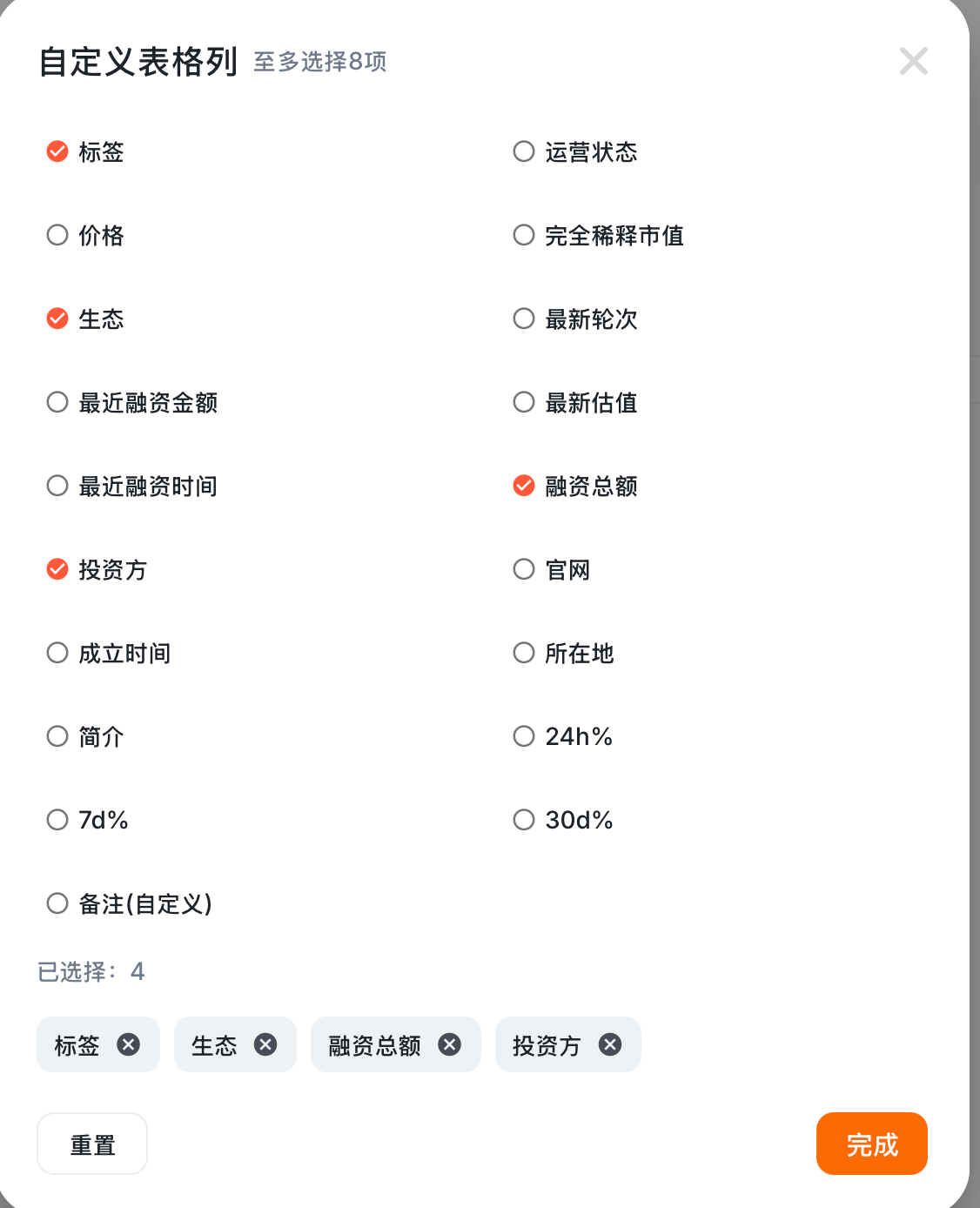
您可以点击「自定义列」，根据自身需要自定义合辑列表展示的内容

<figure><img src="/files/2OTEpuFKIfa3iijwiF9i" alt="" width="188"><figcaption></figcaption></figure>


---

# Agent Instructions
This documentation is published with GitBook. GitBook is the documentation platform designed so that both humans and AI agents can read, navigate, and reason over technical content effectively. Learn more at gitbook.com.

## Querying This Documentation
If you need additional information that is not directly available in this page, you can query the documentation dynamically by asking a question.

Perform an HTTP GET request on the current page URL with the `ask` query parameter:

```
GET https://cn.docs.rootdata.com/playbook/archives.md?ask=<question>
```

The question should be specific, self-contained, and written in natural language.
The response will contain a direct answer to the question and relevant excerpts and sources from the documentation.

Use this mechanism when the answer is not explicitly present in the current page, you need clarification or additional context, or you want to retrieve related documentation sections.